Qt
𝐐𝐭 𝐂𝐫𝐞𝐚𝐭𝐨𝐫 𝐬𝐩𝐞𝐥𝐥𝐜𝐡𝐞𝐜𝐤 — 𝐧𝐨𝐰 𝐰𝐢𝐭𝐡 𝐐𝐌𝐋 𝐬𝐮𝐩𝐩𝐨𝐫𝐭
I never wrote a #QtCreator #plugin before. Somehow I always avoided that, because first you have to set up your environment, then build a husk, make it build, yada yada.
But the spellchecker plugin from Carel Combrink was missing support for QML-type files for years now. C++ parsing existed, #QML did not.
𝗦𝗼 𝗜 𝗲𝘅𝗽𝗮𝗻𝗱𝗲𝗱 𝗶𝘁.
New QML parser added next to the existing C++ parser. As you know: QML is different from C++ 😉
It now scans QML comments and user-visible string literals:
* // line comments
* /* block comments */
* double-quoted strings
* single-quoted strings
* template literals
It also tries hard to not be annoying. It ignores QML/JavaScript code tokens like imports, ids, property names, bindings, and component names. URLs, emails, pure numbers, color values, and all-caps words are filtered out as well.
Source positions are preserved, so underlines and replacements land where they should. It works for current-file and project-wide checks, with background processing, reparsing, and settings for comments and string literals.
Lots of #testing. Unit tests, yes. But also manual testing, because certain aspects were not part of my initial implementation plan. As always.
So now you can use any Hunspell dictionary to check your QML files for typos and get them fixed.
Typos in code and comments are a real concentration breaker while reading code.
𝗠𝗶𝘀𝘀𝗶𝗼𝗻 𝗱𝗼𝗻𝗲. 𝗔𝗻𝗼𝘁𝗵𝗲𝗿 𝘁𝗵𝗶𝗻𝗴 𝗹𝗲𝗮𝗿𝗻𝗲𝗱. 𝗔𝗻𝗱 𝗺𝗮𝘆𝗯𝗲 𝘁𝗵𝗲 𝗽𝗮𝘁𝗰𝗵 𝗶𝘀 𝗮𝗰𝗰𝗲𝗽𝘁𝗲𝗱.
If someone really wants to check the patch themselves on GitHub:
https://github.com/CJCombrink/SpellChecker-Plugin/pull/197
Thanks to Carel Combrink and the other contributors for the existing work this builds on.
𝐒𝐭𝐚𝐧𝐝𝐢𝐧𝐠 𝐨𝐧 𝐭𝐡𝐞 𝐬𝐡𝐨𝐮𝐥𝐝𝐞𝐫𝐬 𝐨𝐟 𝐠𝐢𝐚𝐧𝐭𝐬.
#Spellchecking


qmake: shared libs without versioning and symlinks
By default share libraries have a symlink and versioning. To avoid this, add to respective *.pro:
|
1 2 |
# disable symlinks & versioning CONFIG += plugin |
GammaRay – another debugger for Qt
Small OpenSource-tool from KDAB which can be used to alter the runtime-state of Qt-based programs. I’ve just used it (so far) with Qt for C++ and wonder if it would work with PyQt as well (TODO).
Changed parameters, layouts, styles, sizes, values are immediately applied and helpful to fine-tune especially layouts. It is some sophisticate debugger. Of course, with gdb you can alter values as well, but this Qt-aware tool offers for certain types (or layouts) just valid entries and ranges!
Code can be found here: https://github.com/KDAB/GammaRay/wiki/Getting-GammaRay
Some more documentation can be found here: https://www.kdab.com/development-resources/qt-tools/gammaray/
———————————————
Quick-start guide:
First of all: the Qt-version of the GammaRay and of the UUT (unit under test; the program) should match. If not, then runtime-issues up to crash are possible 🙂
As said: almost everything can be influenced, so for a limited task, I’ll show how to alter some style of ‘Cullendula’. Let’s set for it nice blue outlines for each widget!
0. start Cullendula
1. start GammaRay (bin/gammaray.exe for Win)
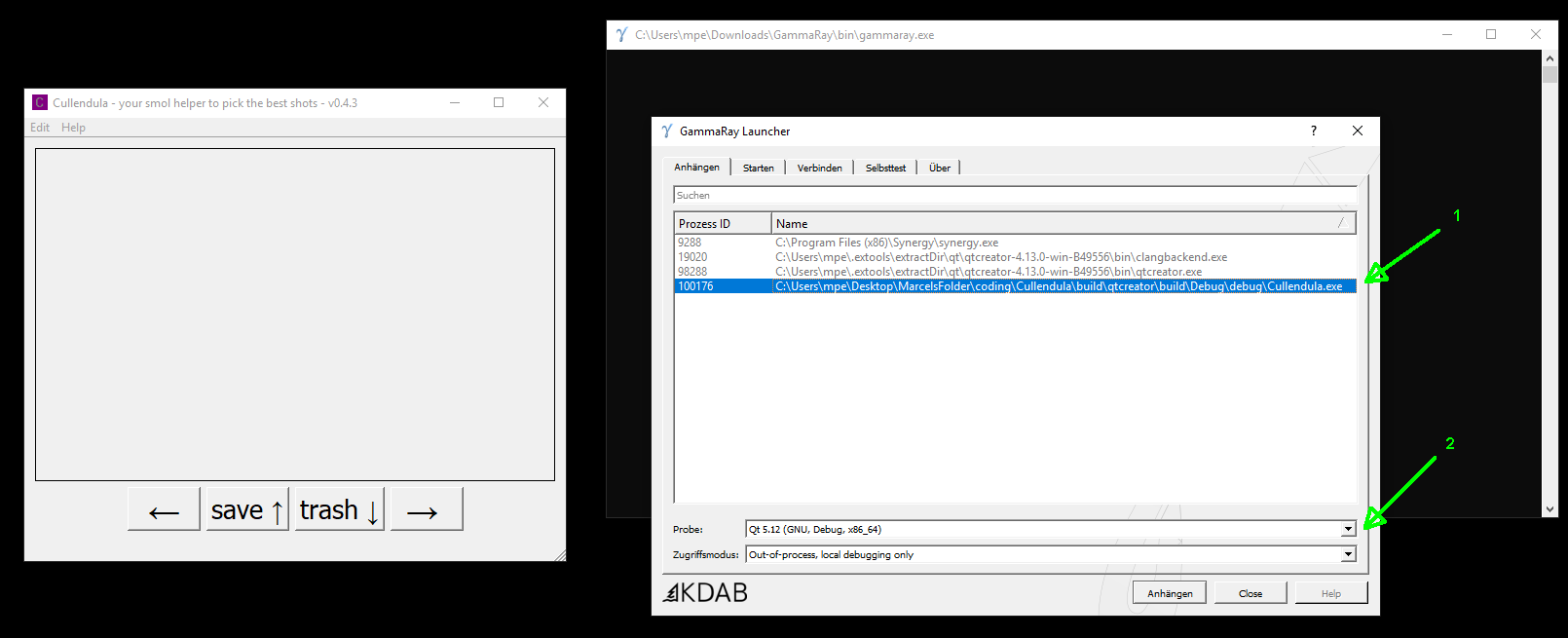
2. attach GammaRay to Cullendula via selecting it [1] and then switching (if not done automatically) to the proper build-version & -type of Qt [2]
———————————————
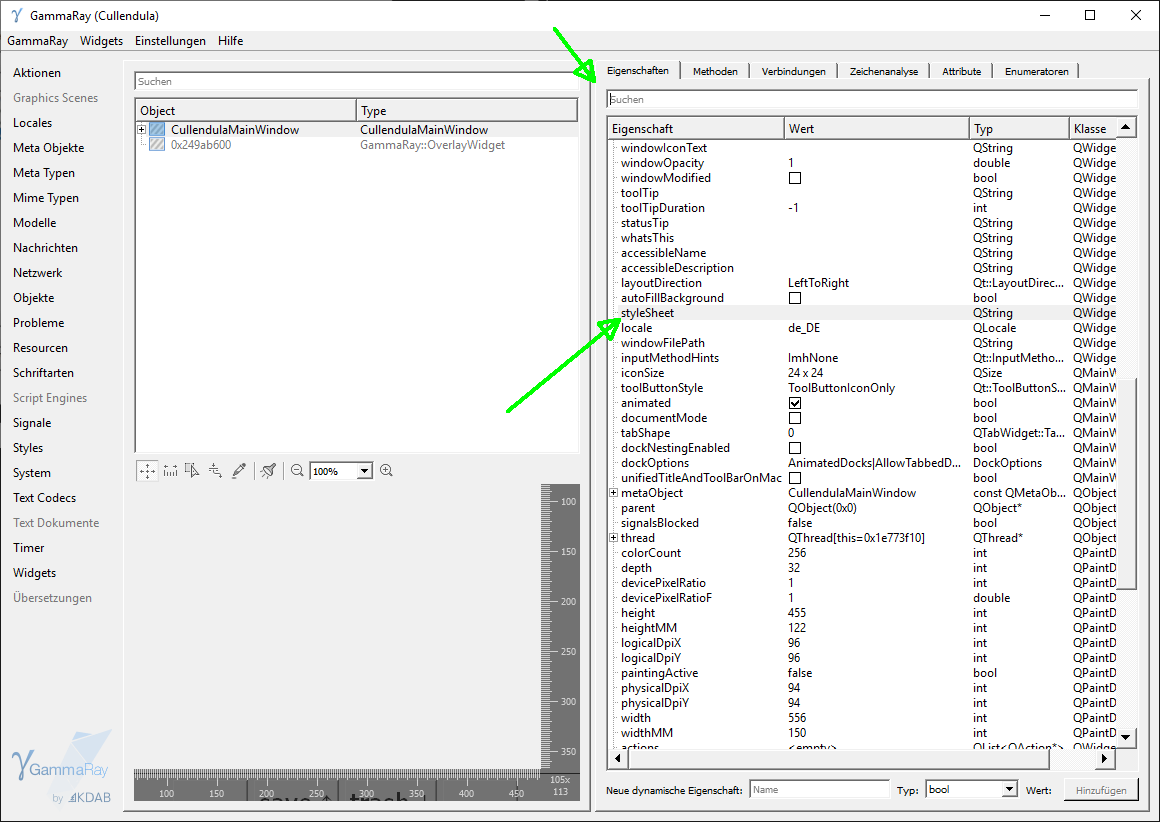
3. in the next window search for “stylesheet” (best done via the search-box)
———————————————
4. Now insert for styleSheet: “QWidget { border : 2px solid blue}” (without quotation marks!) and confirm with . The changes are applied immediately.

The same workflow can be applied almost everywhere to manipulate other properties .. good luck.
It’s a quite useful tool for layout-debugging. Also the measurement-tool can help to fine-tune margins .. or discuss color-values with stakeholders ..
Qt6: preview is available and usable
After reading this blog-entry https://www.qt.io/blog/qt-6.0-feature-freeze-milestone-reached I wanted to give it a try and see how much effort it would make to transition from Qt 5 (5.12 or 5.15) to 6.
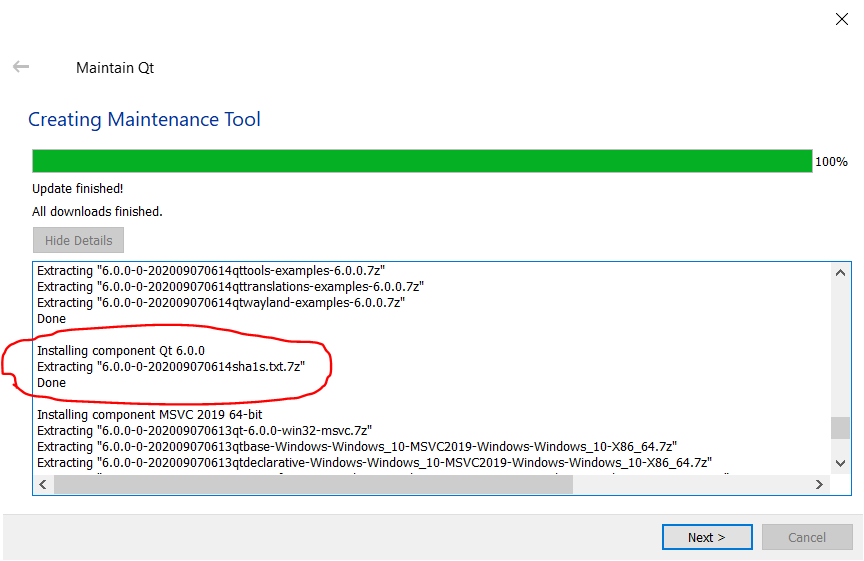
Hands on-approach: installed Qt6 via the maintenance tool (1 hr and 39 GiByte later ..), took my Cullendula-app and added a new target within QtCreator 4.12.
First clean build with MSVC2019_64bit gave a weird warning about
qtmaind.lib(qtmain_win.cpp.obj) : warning LNK4099: PDB 'WinMain.pdb' was not found with 'qtmaind.lib(qtmain_win.cpp.obj)' or at 'C:\Users\husband-boy\Desktop\coding\Cullendula\debug\WinMain.pdb'; linking object as if no debug info
where I still found no solution. But it works. Not a single line of code had to be changed 🙂 If anyone ever transitioned from 3 to 4 (big ugh), or 4 to 5 (small ugh), you know the pain.

Bravo, I am positively impressed. Nothing worse than stagnation.
PyQt: GroundSpace
Over the past weeks I’ve worked on a small project to combine the best of the Qt and Python domains. It was time to put both together. I knew about the PyQt- (Riverbank) and PySide- (Qt) bindings for years, but never really dipped my feet into those water. It was time to fix this.
GroundSpace (wordplay) is a small tool to fill your hard-disk (SSD ..) with arbitrary content. To test the speed of writing and to create big chonks of data.
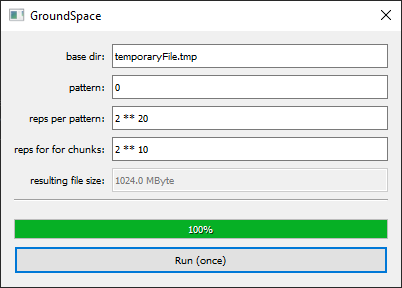
What was learnt?
* creating an ui-file with QtDesigner (jk, I knew this) and how to pre-compile it for PyQt-usage
* loading that uic-file and creating connections
* progress-callback
* how evil the ‘eval()’ function in Python is
Next stop: I want a proper web-scraper in Python.
tutorial: heob (heap profiler; memory leak analysis)
Heob is an OSS project, short for ‘heap observer’.
How to configure and use?
0. The official documentation from Qt/QtCreator is – like always :’D – a bit sparse: https://doc.qt.io/qtcreator/creator-heob.html
1. Get it from: https://github.com/ssbssa/heob/releases (I’ll use here release 3.1 from July 2019) and extract to the directory of your choice. This directory has to be set later as configuration path.
If you use gcc/mingw, then make sure you’ve dwarf-stack enabled. Since I’m just using the MSVC, not much had to be done.
2. Inside QtCreator (I am using right now 4.12 from the Maintenance Installer) go to “Analyze > Heob” and configure it like this:
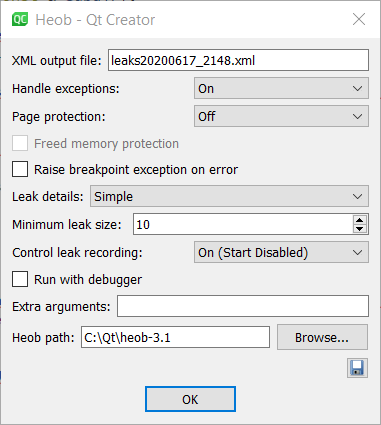
The floppydisk-icon can be saved to store ONE configuration.
I leave most of the time the tracing to simple, else time-critical processes can fail. The output-files should be named if you do several runs, which you want to compare or post-process. Most of the time it makes sense to start disabled, because else heob tracks already all the losses at start and this will delay the start.
3. As example, I’ve set Cullendula as UUT (unit under test).
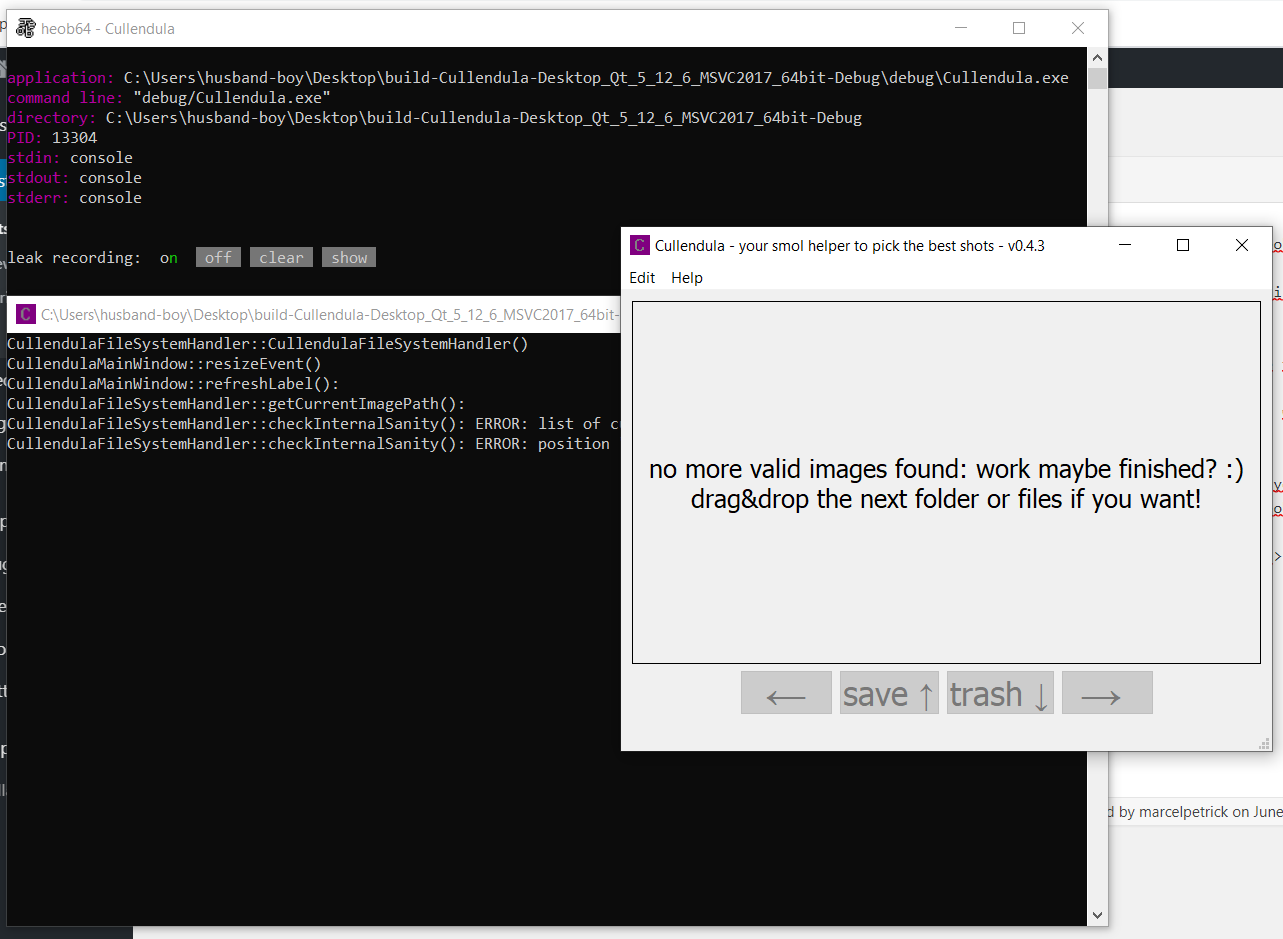
Since heob was started disabled, the leak recording is off: Activate it by pressing ‘n’. If you resize the terminal, the last line can become invisible due to some glitch. So better leave the size of the window untouched!
4. Do your favorite workflow in the UUT. Then close/quit the UUT.
5. Depending on how much allocations were done, heob takes more (up to ten minutes!) or less time (seconds in the case of Cullendula) to evaluate the leaks.
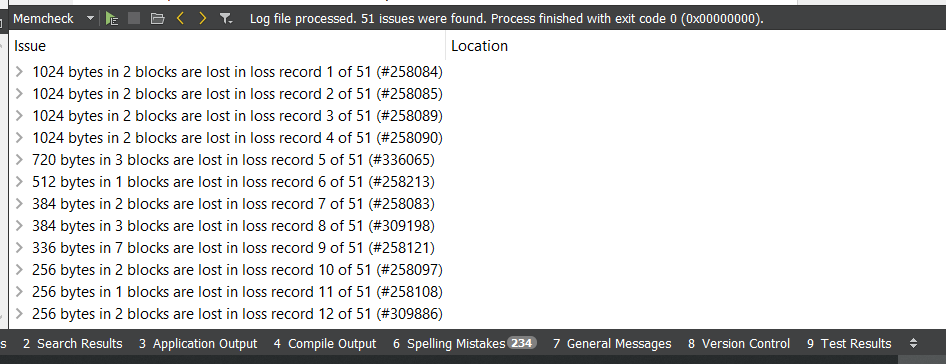
The results are sorted in descending order. Expand the entries to check the stack-trace of the cause.
Some can be triggered by leaks in the underlying libraries (Qt .. I am lookin at you: https://bugreports.qt.io/browse/QTBUG-59621), some by your own buggy implementation.
Hint: the generated xml-report can be later loaded again in the results-tab. Or specify “-o leaks20200617.html” for an optically more pleasing result.
Find crappy Qt-includes
Use this regular expression
|
1 |
[\/][q]\w+[\.][h][>] |
to check for includes of the format
|
1 2 3 |
#include <QtCore/qdir.h> // hit #include <QtCore/QDir> // no hit #include <QtCore/QDir.h> // no hit |
Test it here with regex101.com.
QDialogs receive NO close-event in case of closing via the ESC-key. Nice.
At first this looked like a bug, but upon reading carefully the documentation and crawling the internet, I’ve noticed that this is
a) wanted behavior and b) I am not the first one stumbling over this issue.
So just override in the header the method for processing the QHideEvent:
|
1 2 3 4 |
protected: // Closing a QDialog via key 'ESC' does NOT result in a close-event. // Therefore we capture the QHideEvent <3 void hideEvent(QHideEvent* eventHorizon) override; |
And reimplement the base-class-call with the emission of a custom signal (or triggering custom functionality) for futher processing. Like:
|
1 2 3 4 5 6 |
void MyDialog::hideEvent(QHideEvent* eventHorizon) { // emit signalDialogClosed(); QDialog::hideEvent(eventHorizon); } |
Edit:
Another way is to connect the QDialog’s finished-signal to your signal via DirectConnection. Less code than overriding.
qobjectdefs_impl.h:72:118: error: no type named ‘Car’ in ‘struct QtPrivate::List<>‘
Bruh, wait, what?
After rebasing a bigger feature and solving all obvious conflicts, the new build threw an error like “no type names Car”. And I am currently not working in the automotive industry!
Issue was that a commit, on which was rebased, changed ‘old’ Qt4-signal-slot-syntax (with SIGNAL/SLOT keywords; the string-based connect) to the ‘new’ Qt5-version (typed and verifyable from the compiler). And one of the slots had a default parameter. This is not allowed, except you squish a lambda as intermediate layer.
|
1 2 3 4 5 6 7 8 |
// old version // connect( _model.get(), &AnalysisModel::signalImageChanged, // this, &ImageScene::slotImageChanged ); // ImageScene::slotImageChanged's second parameter has a default value. // Using Qt5-connects does just work with an intermediate lambda. connect( _model.get(), &AnalysisModel::signalImageChanged, this, [=](ImagePoolItem item){ ImageScene::slotImageChanged(item); } ); |
A bit more insight: Qt-docs.
edit: One of the earlier error-messags also hinted out what could be the culprit, but “no type named Car” is more funny 😉
|
1 |
qobject.h:239:9: error: static assertion failed: The slot requires more arguments than the signal provides. |
Localisations
The Qt framework offers a quite nice and convenient way to localize your application.
Not only how to mark inside the code translateable strings (tr(..)), but also that the translation-mappings are human-readable xml-format files (*.ts), but also their own tool to do the translation (Linguist). Linguist is quite helpful for translator who sometimes also have to have a look at the “what would you get with that translation of different size inside the widget”-result (more or less: WYSIWYG).
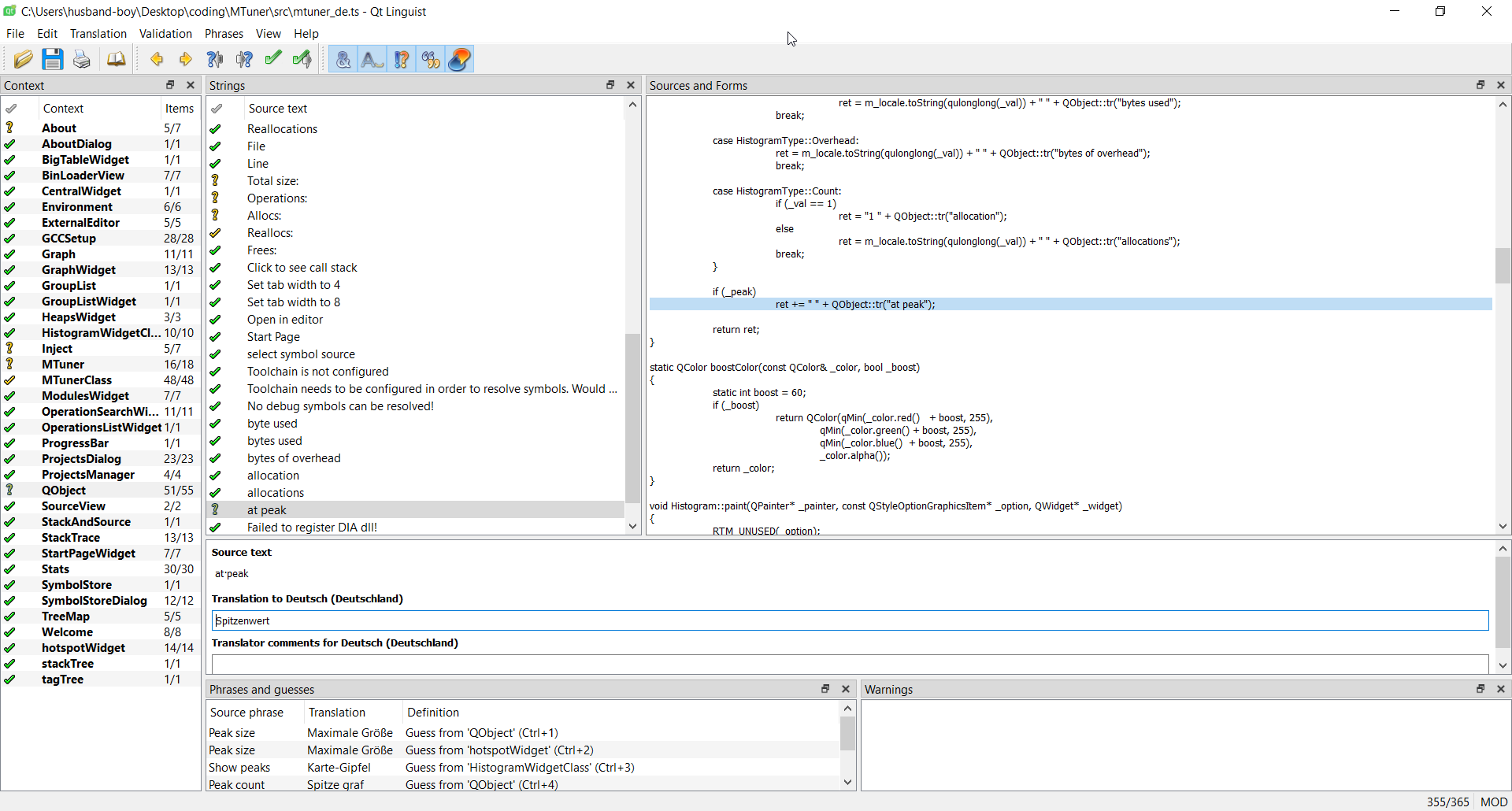
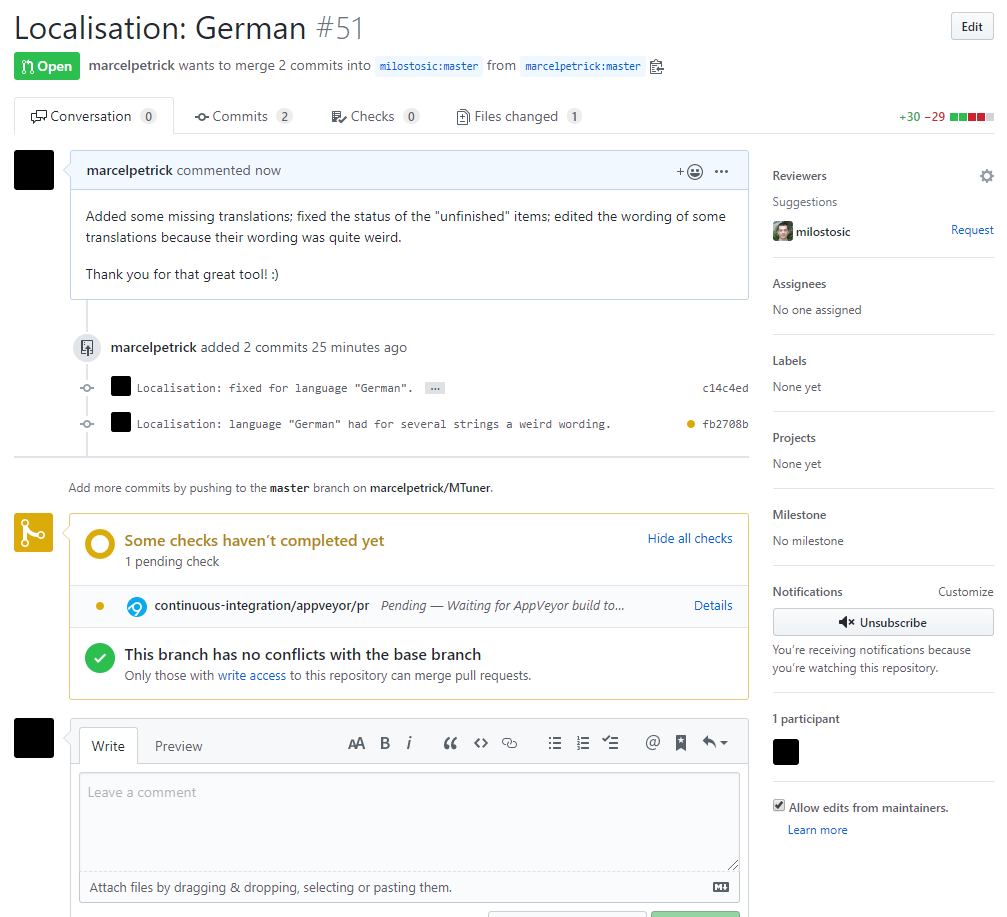
Noticed today some flaws in the localisation of MTuner (nice memory profiler) and offered some help.
This is what I love about OSS: you don’t just take, but can also lend a helping hand and improve the quality 🙂